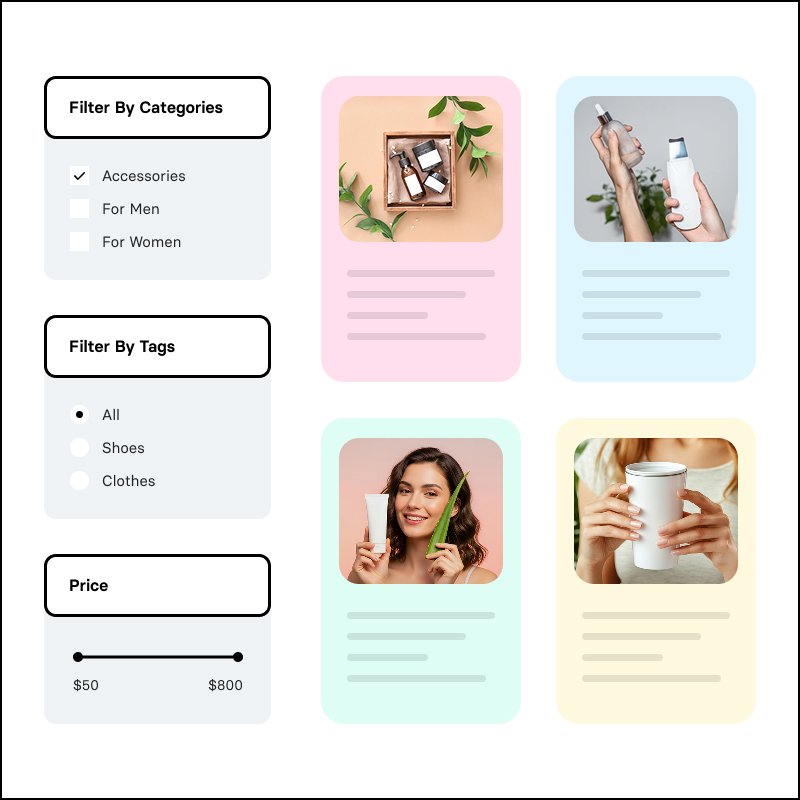
Post Card Filters for Avada Builder

$50.00

Post Card Filters for Avada Builder adds powerful Avada filters for Post Cards directly in the Live Builder. Filter by taxonomies and custom fields with dropdowns, checkboxes, radio buttons, range sliders, and more. Show active filter tags, clear-all and presets, and keep everything in sync with your saved Post Card design.

Post Card Filters for Avada Builder

Post Card Filters for Avada Builder adds native-style filtering to Avada’s Post Cards element. Build Avada filters for Post Cards from the Live Builder: taxonomy, custom field, and WooCommerce filters that stay in sync with your saved Post Card design and update results via AJAX—no coding required.

Why Use Avada Filters for Post Cards?

Avada’s Post Cards element is ideal for blogs, portfolios, and product grids, but built-in filtering is limited. This plugin adds Avada filters for Post Cards directly in the builder: pick your Post Card design, add filter groups (taxonomy, custom field, or WooCommerce), choose a display type, and publish. Visitors get instant filtering and a clear view of active filters.
Features of Post Card Filters for Avada

  • Taxonomy filters – Filter by categories, tags, product categories, or any public taxonomy. Include or exclude specific terms. Display as dropdown (with search for long lists), checkbox, radio, or color swatches.

  • Custom field filters – Filter by any post meta; ACF Pro field names supported. Display as dropdown, dropdown with checkboxes, checkbox, radio, text, number range, range slider (manual or auto min/max), date, or color swatches.

  • WooCommerce filters – Price range (inputs or slider), stock status, on sale, featured, and average rating. Works with product Post Cards.

  • Active filters display – Show selected filters as removable tags and a “Clear all” button so users see and control what’s applied.

  • Filter presets – Optional one-click buttons (e.g. “On sale”, “Under $500”) that apply a saved filter state or clear filters.

  • Layout & mobile – Vertical or horizontal layout. On mobile, optionally use a collapsible “Filter” panel with active tags above the trigger.

  • Design controls – Extensive style options for filter titles, dropdowns, radio/checkbox labels, borders, spacing, and range sliders from the Design tab to match your theme.

  • Conditional filters – Show a filter only when another has specific values (e.g. show “Model” only when “Brand” is selected).

Who can use Post Card Filters for Avada?

  • Only websites using Avada and displaying blogs, portfolios, listings, or shops or any CPTs through Post Cards Element.

  • Anyone who wants Avada filters for Post Cards without custom code
  • WooCommerce stores that need product filtering (price, stock, rating) on Post Card grids
  • Websites using ACF Pro or other custom fields who need filterable meta (beds, status, date, etc.)

Related products